Token Operations
Comprehensive guide to all available operations for equity and bond security tokens.
Overview
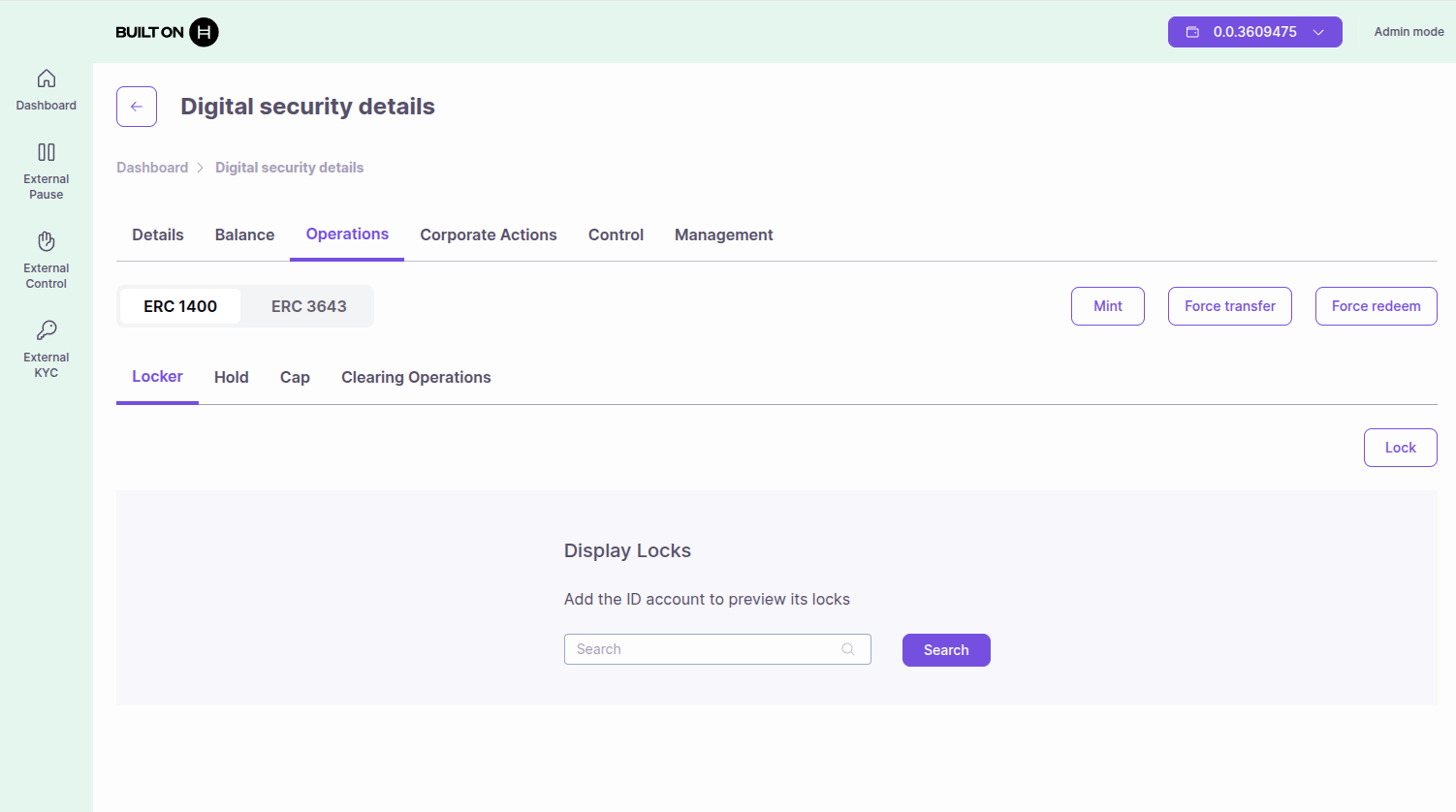
ATS provides comprehensive operations for managing security tokens based on ERC-1400 and ERC-3643 standards:
- Common Operations: Mint, Force Transfer, Force Redeem, Pause
- ERC-3643 Operations: Freeze
- ERC-1400 Operations: Hold, Clearing, Protected Partitions, Cap
Common Operations
Mint (Issue) Tokens
Create new tokens and assign them to an account.
When to use: Initial distribution, employee grants, additional issuance
Requirements:
- ISSUER_ROLE permission
- Recipient must have valid KYC
- Recipient must pass control list checks
- Must not exceed max supply (if set)
How to:
- Navigate to your token
- Select Admin View (green)
- Go to Operations → Mint
- Enter recipient address and amount
- Approve transaction
Force Transfer
Transfer tokens from one account to another on behalf of the source account.
When to use: Court orders, regulatory compliance, error corrections, institutional custody operations
Requirements:
- CONTROLLER_ROLE or PARTICIPANT_ROLE or PARTITION_RESTRICTION_WILD_CARD_ROLE
- Both sender and receiver must have valid KYC
- Must pass control list checks
Form Fields:
- Source Account* - Hedera account ID (0.0.xxxxx) or EVM address (0x...) from which tokens will be transferred
- Account to Transfer* - Destination account that will receive tokens
- Amount* - Number of tokens to transfer
How to:
- Navigate to your token
- Select Admin View (green)
- Go to Operations → Force Transfer
- Fill in the form:
- Enter the Source Account to transfer from
- Enter the Account to Transfer (destination)
- Enter the Amount of tokens
- Click "Submit" or "Transfer"
- Approve the transaction in your wallet
Important: Source and destination accounts must pass all compliance checks (KYC, control lists, etc.).
Force Redeem
Redeem (burn) tokens from a specific account.
When to use: Regulatory compliance, mandatory buybacks, token recalls, bond maturity redemptions
Requirements:
- CONTROLLER_ROLE or PARTICIPANT_ROLE or PARTITION_RESTRICTION_WILD_CARD_ROLE
- Target account must exist
Form Fields:
- Source Account* - Hedera account ID (0.0.xxxxx) or EVM address (0x...) from which tokens will be redeemed
- Amount* - Number of tokens to redeem
- Redeem all amount after maturity date (Checkbox) - For bond tokens, redeem all tokens after the bond's maturity date
How to:
- Navigate to your token
- Select Admin View (green)
- Go to Operations → Force Redeem
- Fill in the form:
- Enter the Source Account to redeem from
- Enter the Amount of tokens to redeem
- (Optional) Check "Redeem all amount after maturity date" for bonds
- Click "Submit" or "Redeem"
- Approve the transaction in your wallet
Note: For bond tokens, the "Redeem all amount after maturity date" option allows full redemption once the bond matures.
Pause Token
Temporarily halt all token transfers globally.
When to use: Emergency situations, security incidents, system maintenance
Requirements:
- PAUSER_ROLE permission
How to pause:
- Navigate to your token
- Select Admin View (green)
- Go to Management → Danger Zone
- Click "Pause Security Token"
- Approve transaction
How to unpause:
- Go to Management → Danger Zone
- Click "Unpause Security Token"
- Approve transaction
Effect: All transfers are blocked until token is unpaused. Minting and burning may still be possible depending on configuration.
ERC-3643 Operations
Freeze Account
Prevent an account from transferring or receiving tokens.
When to use: Suspicious activity, regulatory holds, dispute resolution
Requirements:
- FREEZE_ROLE permission
How to freeze (Option 1 - via Operations):
- Navigate to your token
- Select Admin View (green)
- Go to Operations → ERC-3643 → Freeze
- Enter account address
- Enter amount to freeze (or full balance)
- Approve transaction
How to freeze (Option 2 - via Control):
- Navigate to your token
- Select Admin View (green)
- Go to Control → Freeze
- Enter account address
- Enter amount to freeze (or full balance)
- Approve transaction
How to unfreeze:
- Go to Control → Freeze (or Operations → ERC-3643 → Freeze)
- Find the frozen account
- Click "Unfreeze"
- Enter amount to unfreeze
- Approve transaction
ERC-1400 Operations
Hold Operations
Create temporary locks on tokens that can be executed or released.
When to use: Escrow, conditional transfers, payment holds
Requirements:
- Holder must initiate
- Sufficient unfrozen balance
- Hold must specify notary (can execute hold)
How to create a hold:
- Navigate to your token
- Select Holder View (blue)
- Go to Operations → Hold
- Enter:
- Recipient address
- Notary address (who can execute)
- Amount
- Lock time (seconds)
- Partition (default or custom)
- Approve transaction
Hold lifecycle:
- Created: Tokens locked, cannot be transferred
- Executed: Notary transfers tokens to recipient
- Released: Notary returns tokens to holder
- Expired: Hold expires, tokens automatically released
See Hold Operations Guide for details.
Clearing Operations
Two-step transfer process requiring approval from a designated clearing agent.
When to use: Regulatory oversight, trade settlement, compliance validation
Requirements:
- Clearing mode must be activated
- CLEARING_VALIDATOR_ROLE assigned to clearing agents
- Sender initiates, validator approves
How to use clearing:
-
Activate clearing mode (one-time setup):
- Go to Management → Danger Zone
- Click "Activate Clearing"
- Approve transaction
-
Create clearing transfer:
- Go to Operations → Clearing
- Enter recipient and amount
- Submit for clearing
-
Approve clearing (clearing agent):
- Clearing agent reviews request
- Approves or cancels the transfer
See Clearing Operations Guide for details.
Cap Management
Set maximum token supply to prevent over-issuance.
When to use: Fixed supply tokens, regulatory requirements
Requirements:
- ISSUER_ROLE or DEFAULT_ADMIN_ROLE
How to set cap:
- Navigate to your token
- Go to Management → Cap
- Enter maximum supply
- Approve transaction
Effect: Minting operations will fail if they would exceed the cap.
How to view cap:
- Go to token details
- Check "Maximum Supply" field
Permission Requirements
| Operation | Required Role |
|---|---|
| Mint | ISSUER_ROLE |
| Force Transfer | CONTROLLER_ROLE, PARTICIPANT_ROLE, or PARTITION_RESTRICTION_WILD_CARD_ROLE |
| Force Redeem | CONTROLLER_ROLE, PARTICIPANT_ROLE, or PARTITION_RESTRICTION_WILD_CARD_ROLE |
| Freeze Account | FREEZE_ROLE |
| Pause Token | PAUSER_ROLE |
| Create Hold | Token holder (self) |
| Execute Hold | Notary address |
| Create Clearing Transfer | Token holder (self) |
| Approve Clearing | CLEARING_VALIDATOR_ROLE |
| Set Cap | ISSUER_ROLE or DEFAULT_ADMIN_ROLE |
| Activate Clearing | ISSUER_ROLE or DEFAULT_ADMIN_ROLE |
See Roles and Permissions Guide for more details on role management.
Troubleshooting
"Account 0.0.XXXXX does not have Kyc status: Granted in the internal/external system"
This error occurs when attempting an operation (e.g., minting or transferring tokens) on an account that has not been KYC-verified. The account must be granted KYC status before it can participate in token operations.
Resolution depends on your KYC configuration:
- Internal KYC: Grant KYC by uploading a Verifiable Credential for the account. See Managing KYC and Compliance - Internal KYC.
- External KYC: Add the account to the external KYC list linked to your token. See Managing External KYC Lists.
After granting KYC through either method, retry the original operation.
Operation Guides
For detailed step-by-step instructions:
- Hold Operations - Detailed hold lifecycle management
- Clearing Operations - Two-step transfer process
- Corporate Actions - Dividends, coupons, splits, voting
- Managing KYC & Compliance - KYC verification
Next Steps
- Roles and Permissions - Grant access to team members
- Corporate Actions - Execute dividends and coupons
- Updating Configuration - Upgrade token functionality